StreamBase
Revolutionizing AV Distribution with Seamless, Scalable, and Ultra-Low Latency Video and Audio Over IP
services
AV Software Development
industry
AV / Media Technology
duration
2 Years
country
United States
Project Overview
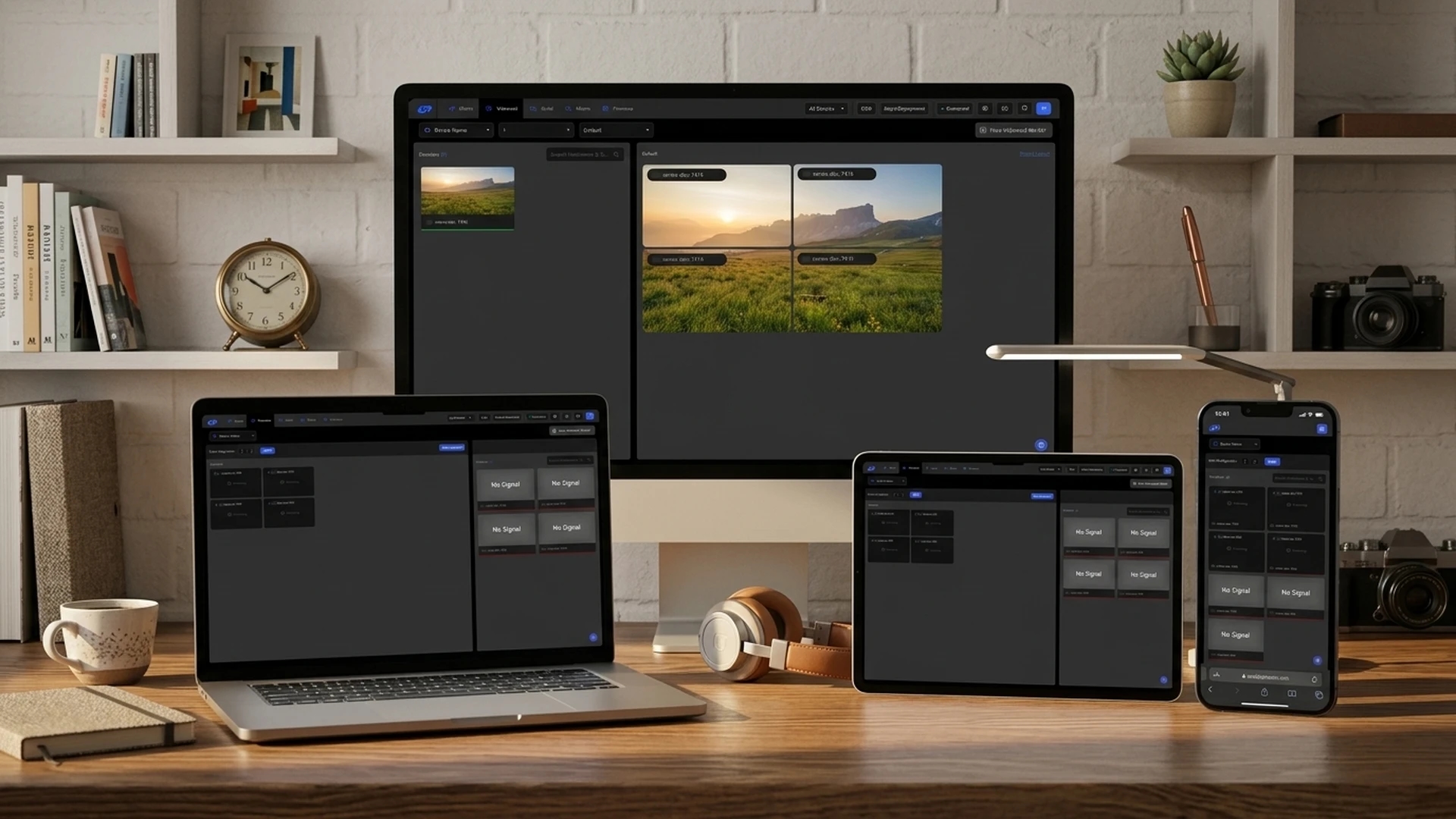
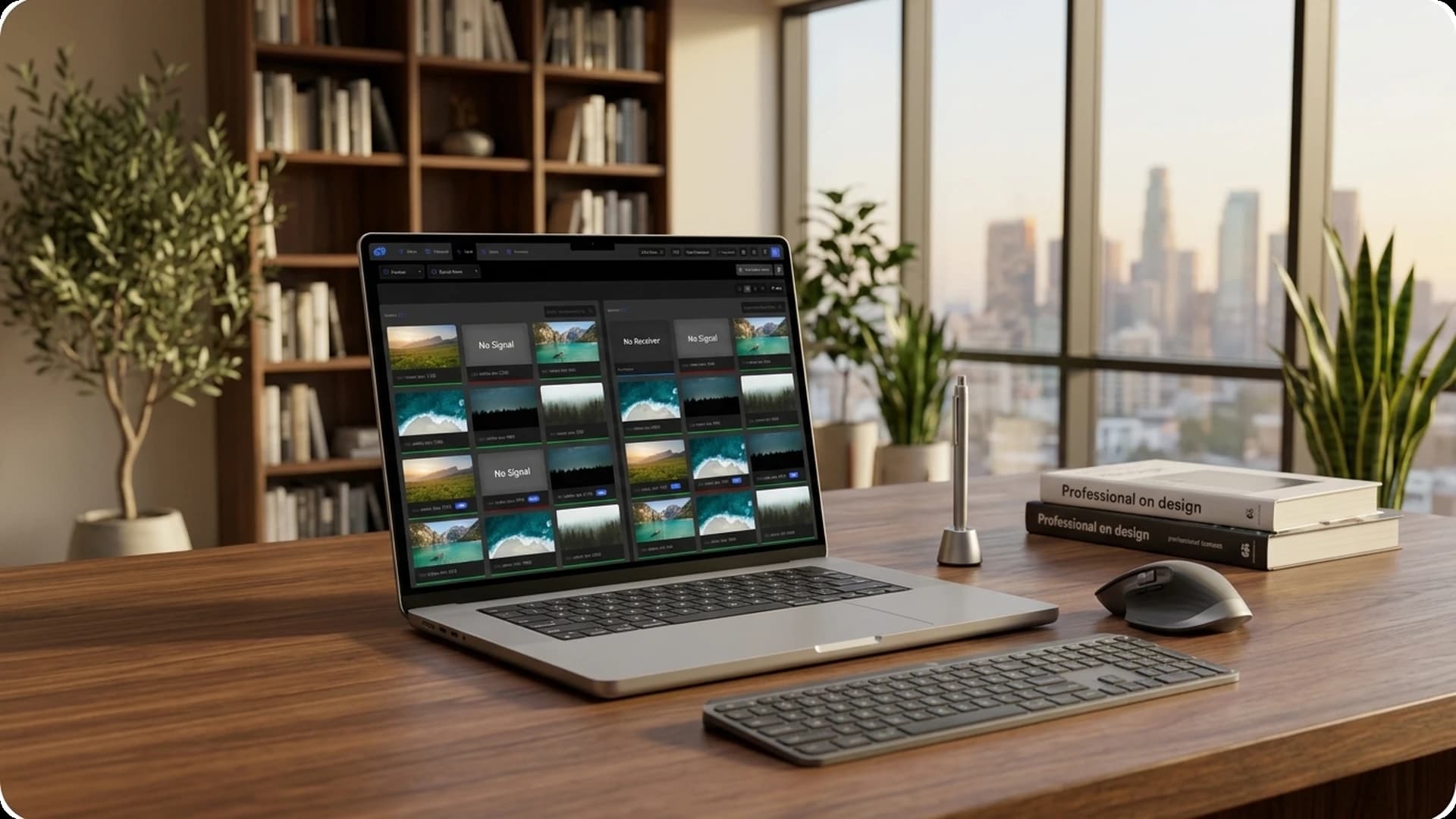
StreamBase redefines modern AV distribution by delivering an ultra-low latency, uncompressed audio and video streaming experience over standard IP networks, offering a future-proof and scalable alternative to traditional matrix switchers. Designed for rapid deployment, it features intuitive and easy pairing of devices, supported by a user-friendly interface that simplifies configuration and control. The platform ensures seamless switching and synchronized streaming, with built-in support for VideoWall configurations and Picture-in-Picture mode for flexible display arrangements. Advanced macro functionality allows users to automate multi-step actions, enhancing operational efficiency in complex environments. With Serial Routing capabilities, StreamBase enables precise control over legacy RS-232 devices across the network. EDID management ensures optimal display resolution and compatibility, while effective logging and a robust diagnostic mode offer deep visibility into system performance for streamlined maintenance and troubleshooting. Additionally the Firmware module facilitates device updates, supporting individual and batch updates, and can import firmware files from users' computers StreamBase stands as a comprehensive solution for high-performance AV installations that demand reliability, scalability, and centralized control.
Challenges
Real-Time Socket Communication
Electron App Packaging
Installer Build with Inno Setup
Real-Time Issue Detection
Our Solution
Chunked Socket Data Processing
Electron Builder Deployment
Custom Inno Setup Installer
Real-Time Logging System
Features Implemented
StreamBase delivers a comprehensive set of features for managing AV distribution over IP networks, from device pairing to advanced diagnostics.
1. Dashboard
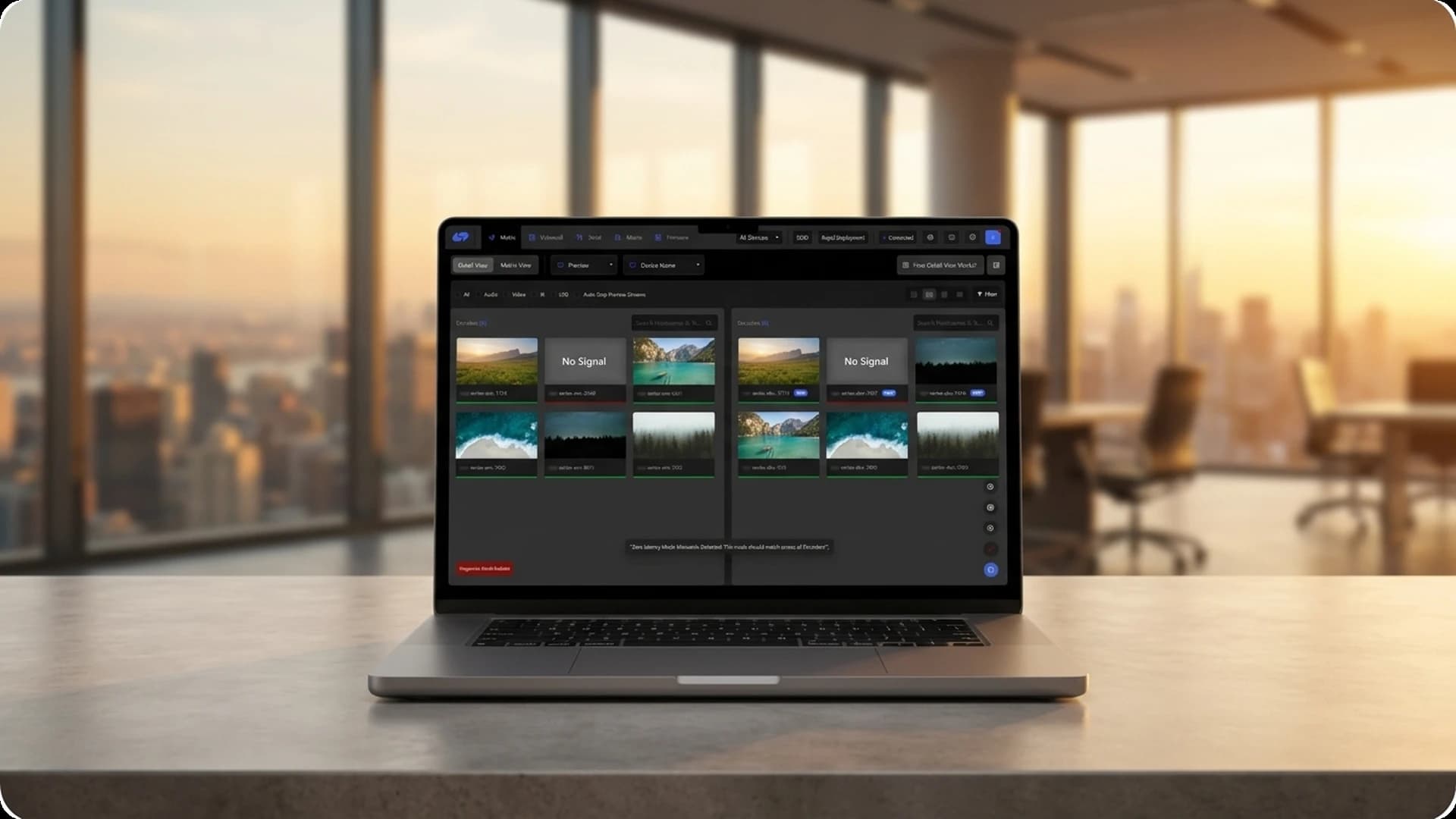
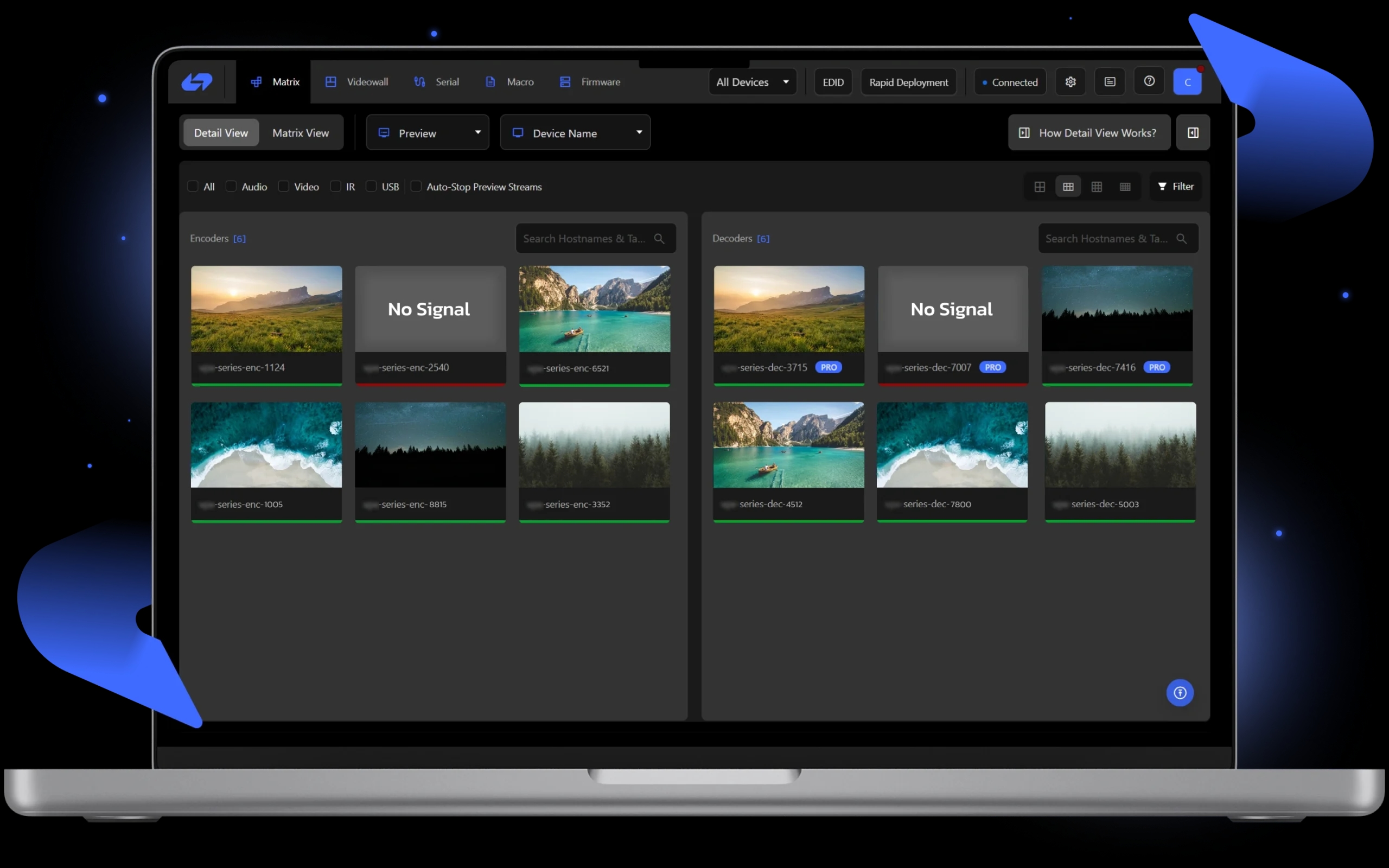
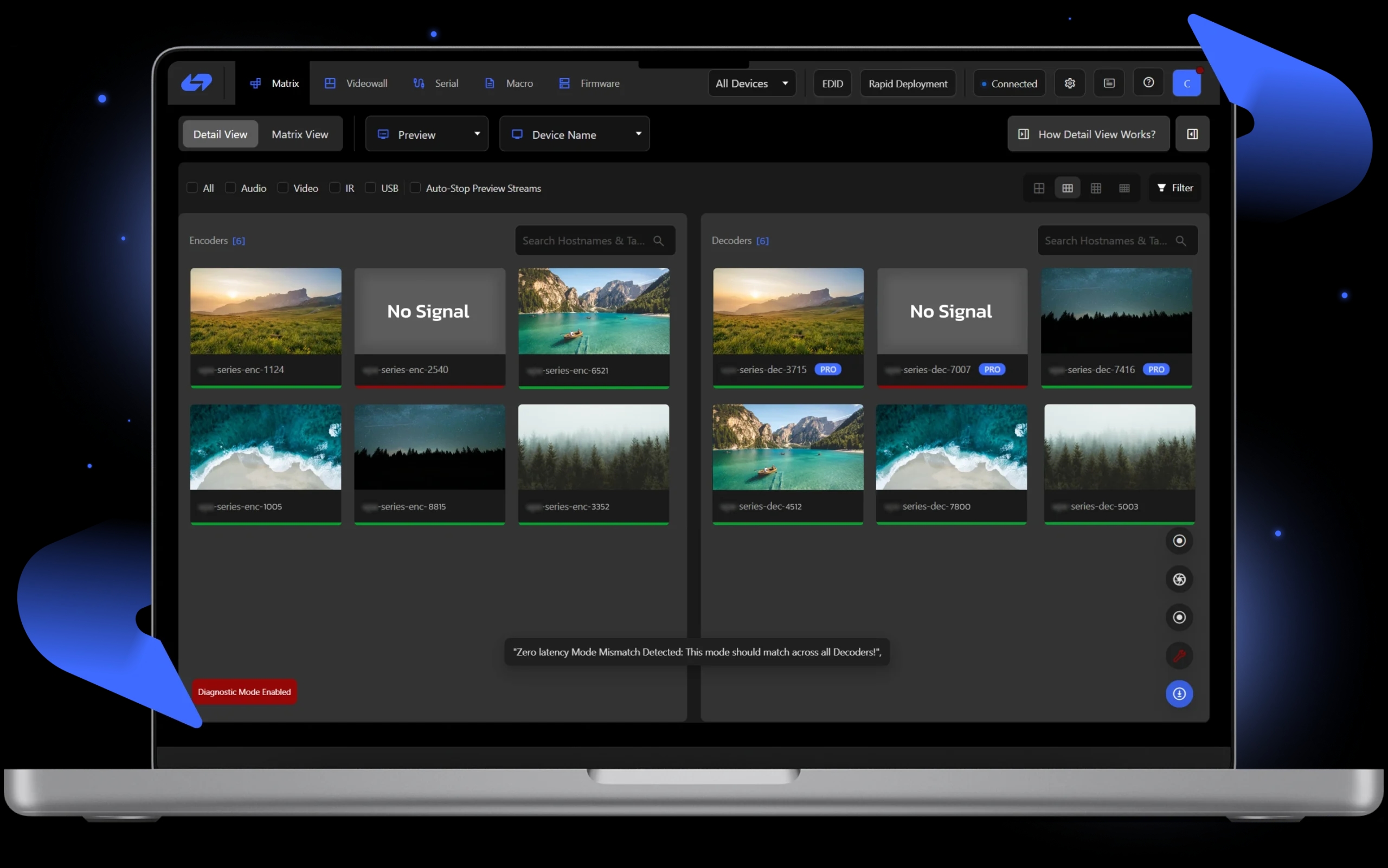
The dashboard provides a smooth and easy experience for users. It offers multiple views to manage AV streaming devices. There is a Detailed View and a Matrix View. The Detailed View shows information about each device, including encoders and decoders, with clear icons that show signal status. The Matrix View displays all devices in a grid format, making it easy to connect them. Right-clicking on any device opens a menu, allowing quick access to Encoder/Decoder Matrix Settings. The Device Settings panel lets users add custom tags. A Tutorial Guide is available to help users navigate the platform. The drag-and-drop function allows easy connection of encoders to decoders. A simple right-click lets users leave a stream. These features make the platform easy to use and efficient. Rapid Deployment ensures quick setup, while EDID Management and Stream Preview provide real-time monitoring and performance optimization.
2. Videowall
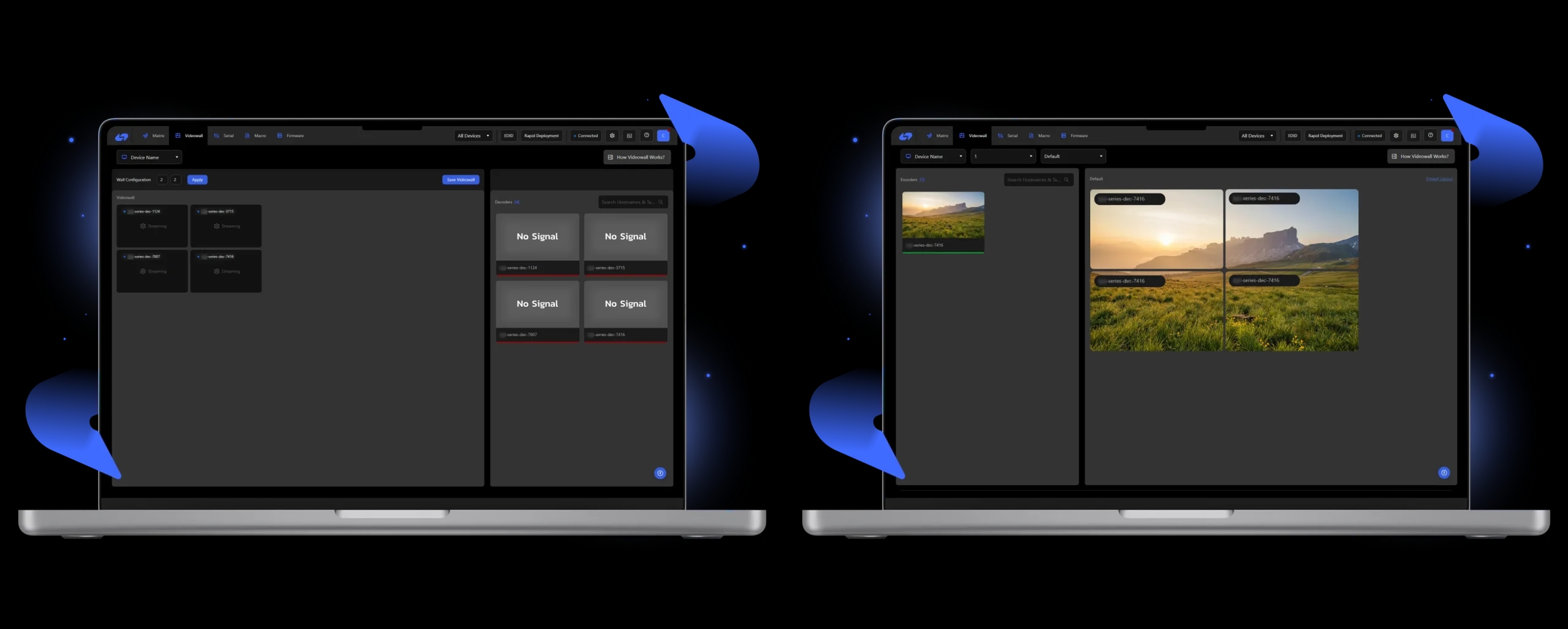
The VideoWall feature provides flexibility and ease for large AV installations. The interface is simple to use, making it easy to set up and manage video walls. Users click "Create New Setup" to link encoders and decoders. This creates synchronized, visually impressive displays. The feature simplifies multi-screen configurations, making it ideal for command centers, public displays, or corporate presentations. The easy-to-use configuration panel ensures that beginner or expert users can manage the video wall. This allows users to create impactful visual experiences without a steep learning curve.
3. Serial Routing
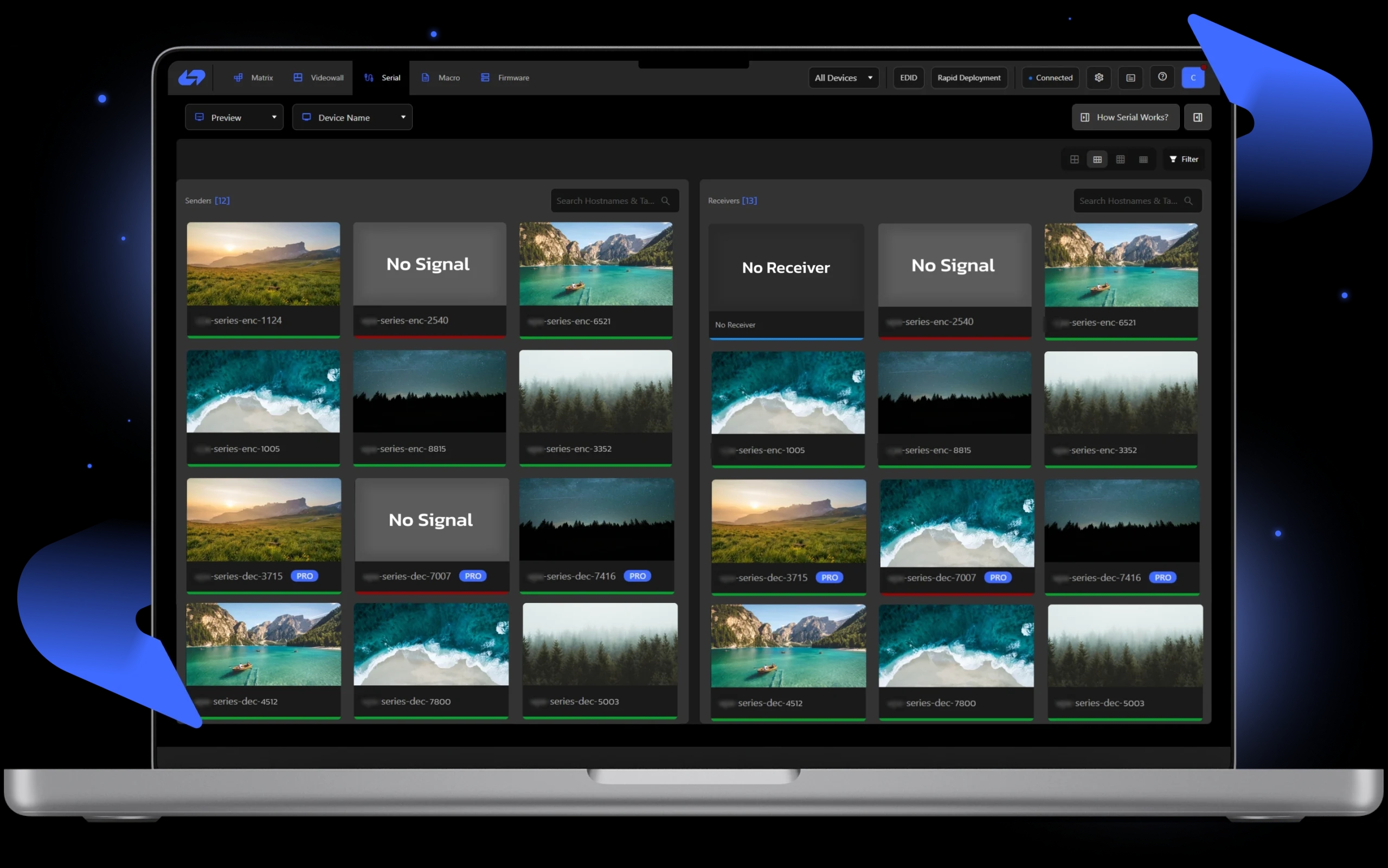
Serial Routing integrates and controls serial devices in a networked AV system. It uses RS-232 serial communication to manage data flow. The main benefit is two-way communication, which ensures the right commands are sent and received. In the dashboard, active devices are marked with a green light, while inactive devices show a red light. This helps users quickly check device status. The drag-and-drop function makes routing devices simple. Users select the sender and receiver, streamlining setup. The interface is easy to use, helping users quickly troubleshoot device issues.
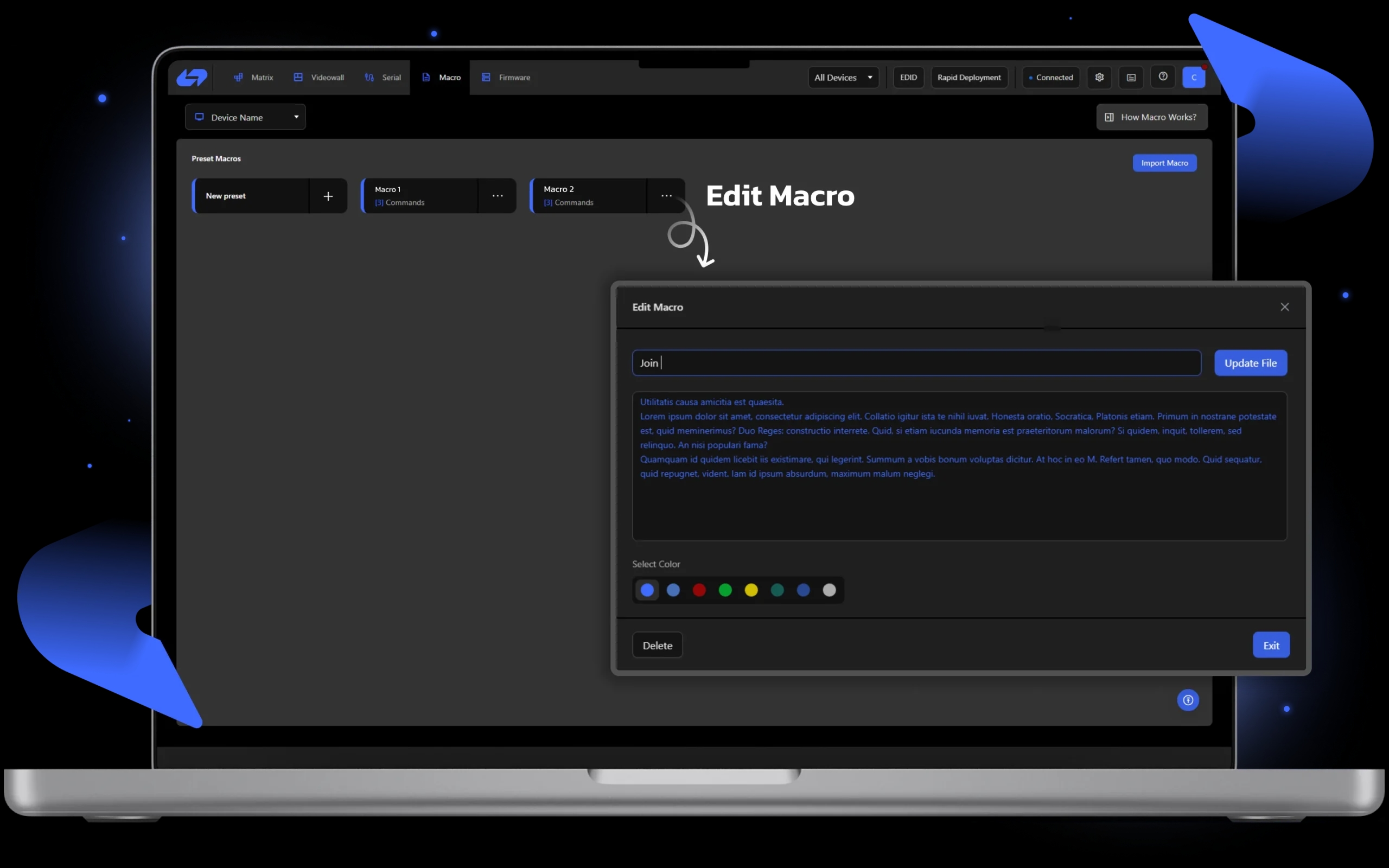
4. Macros Module
The Macro Module automates repetitive tasks. It records user commands and saves them as a macro, which can be re-run with one click. The module allows users to edit, rename, and update macros. This ensures macros stay relevant and adaptable to changing workflows. Whether it's adjusting commands or changing device settings, users can fine-tune the automation process. The system also allows users to export macros to a text file for sharing, backup, or future reference.
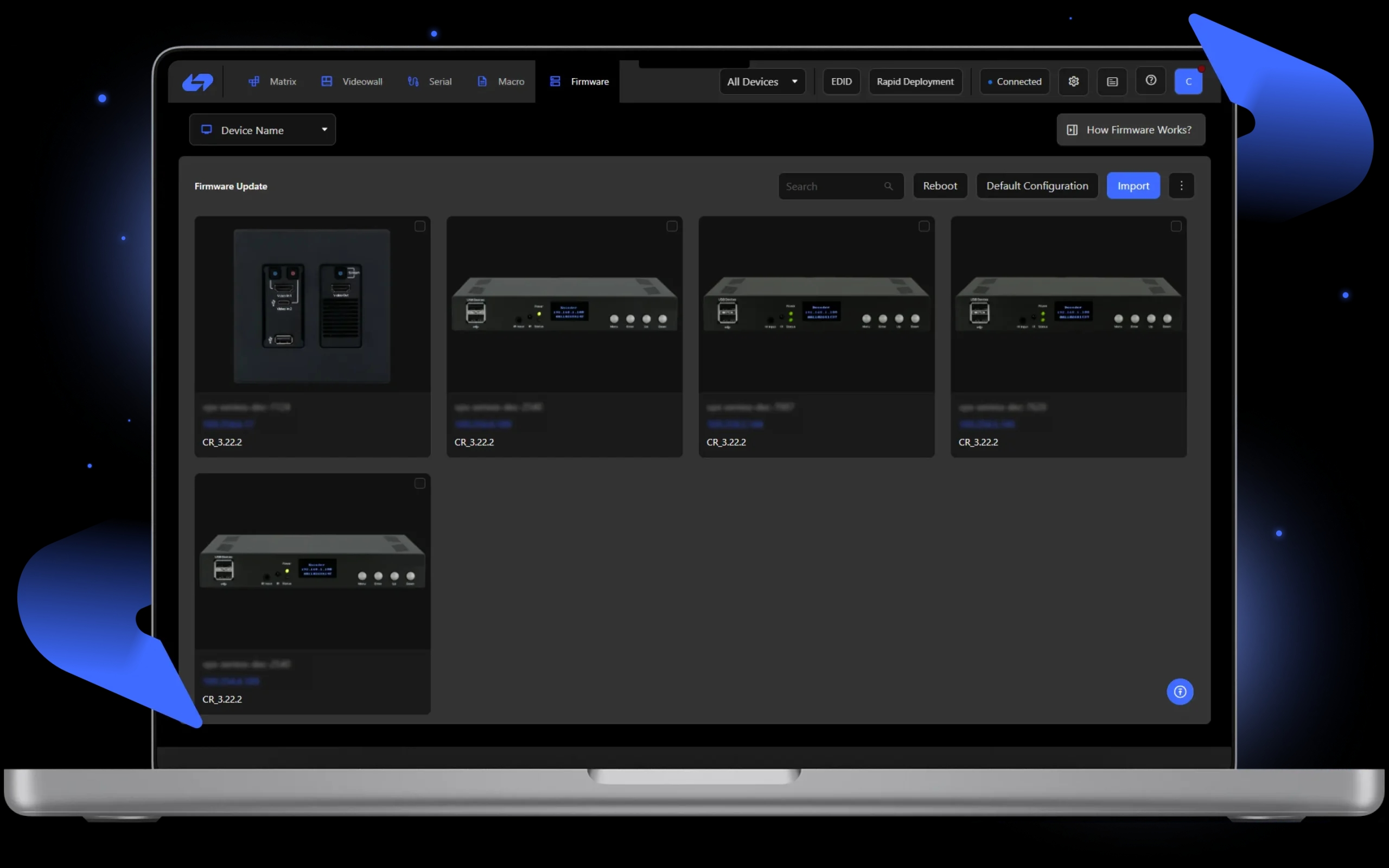
5. Firmware Module
The Firmware Module is essential for maintaining device performance and reliability. It lets users manage and update firmware on connected devices, ensuring they are running the latest software versions. These updates typically include bug fixes, security patches, and new features. Firmware updates are easy to perform with just a few clicks. The module supports bulk updates, making it easy to update many devices at once, which is helpful in large AV systems.
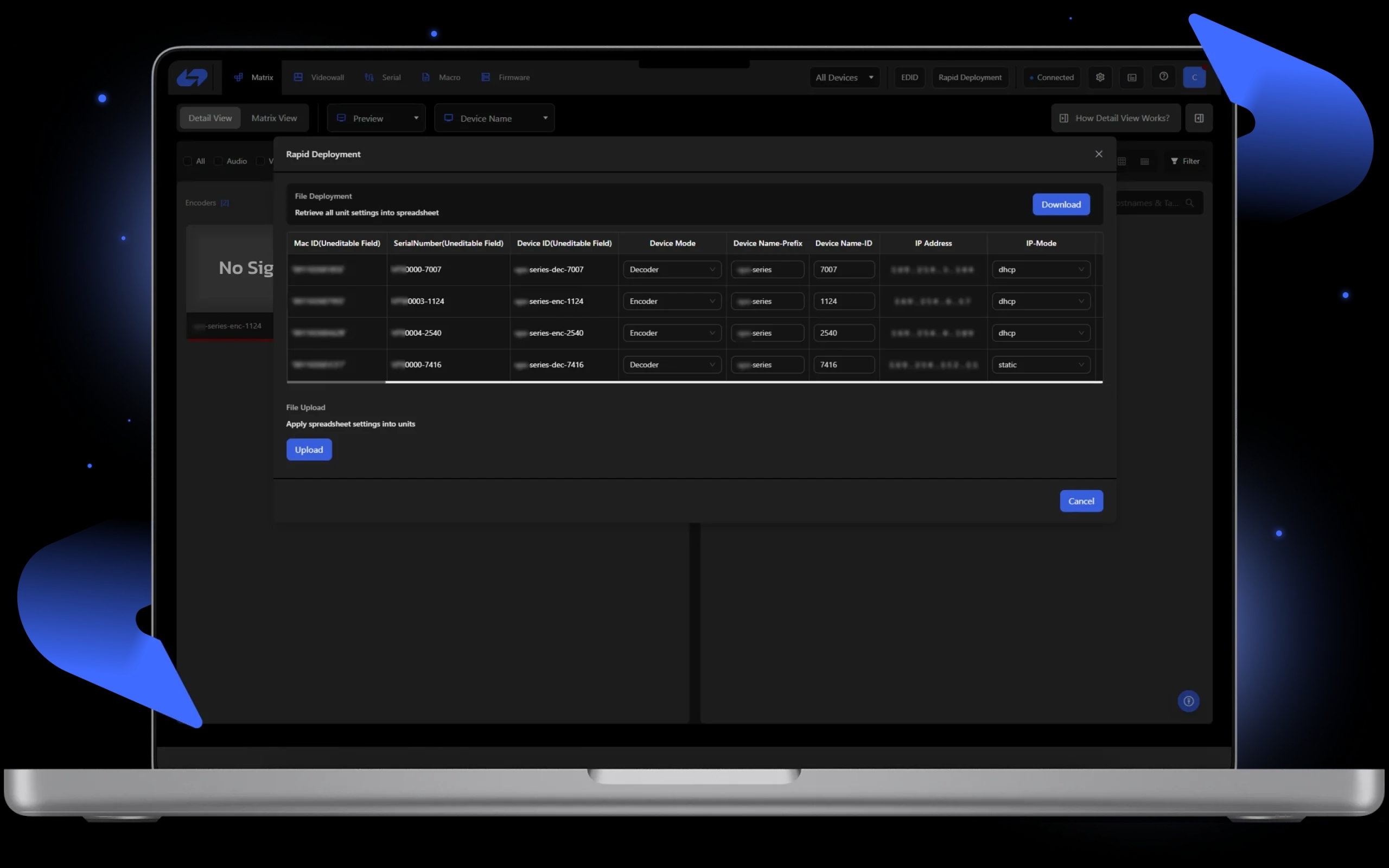
6. Rapid Deployment
The Rapid Deployment tool simplifies device configuration. It includes a CSV Editor for quickly editing multiple device settings at once. After making changes, the system automatically applies them to all relevant devices, ensuring consistency. This saves time compared to manual configuration and reduces errors. The tool is especially helpful in large-scale setups, where managing many devices individually would take too long.
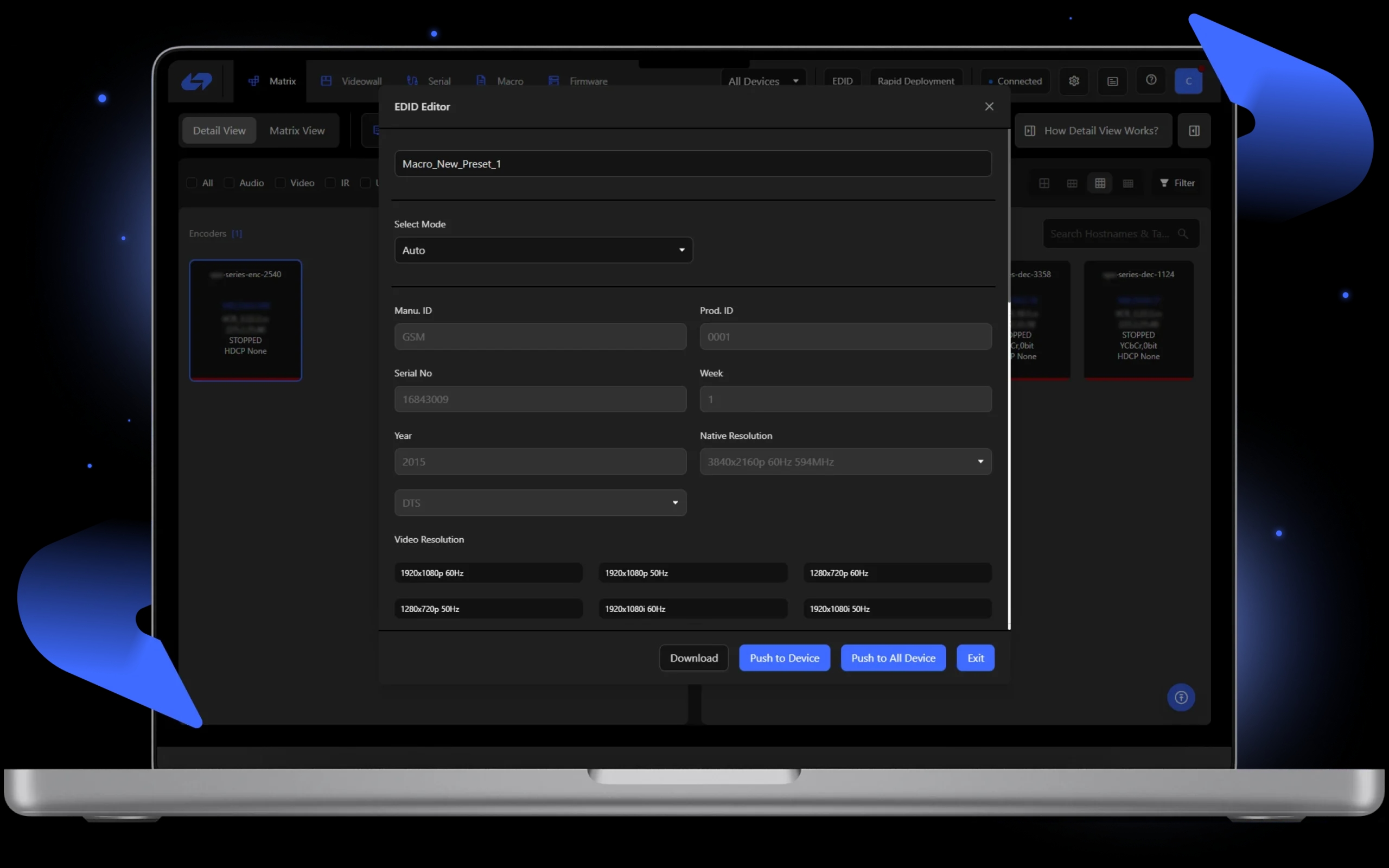
7. EDID Module
The EDID Editor Tool makes managing video and audio resolutions easier. Users can download and upload EDID data quickly. In the Video and Audio tabs, users can view and modify supported resolutions and formats. Users can add new video resolutions from a dropdown list and adjust audio formats by double-clicking to add or remove them. The Download EDID option allows users to fetch EDID data from devices, while the Upload function transfers it from a PC to the device. This ensures compatibility and optimal display settings.
8. Diagnostic Mode
Diagnostic Mode helps users check system performance and device updates. It alerts users if devices need firmware updates or if there are issues. The mode displays detailed device information, such as hardware specs and real-time metrics like CPU and memory usage. Users can run tests and access remote tools for maintenance. Customizable dashboards make it easier to resolve issues and maintain performance.
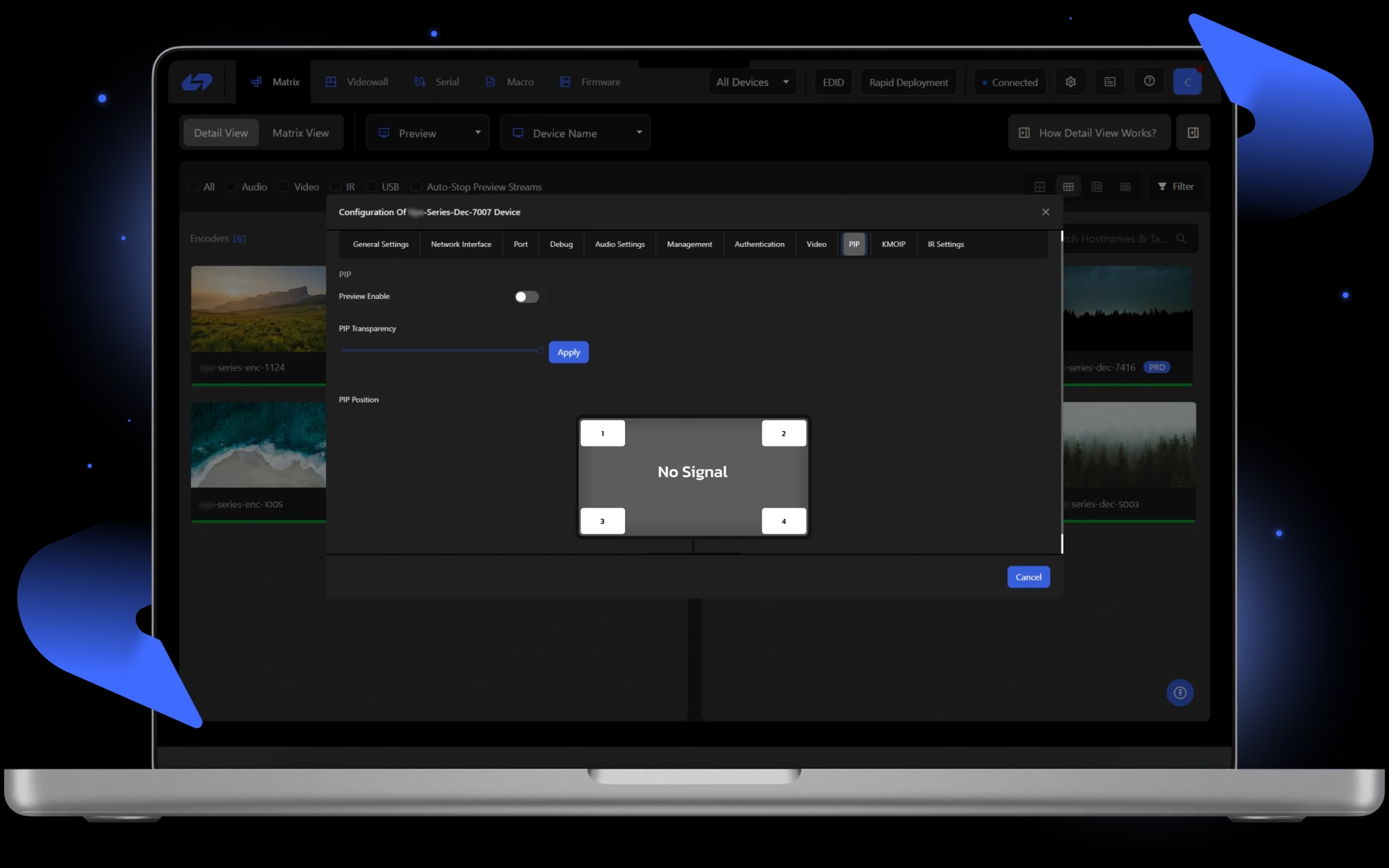
9. PiP Mode
Picture-in-Picture (PiP) Mode allows users to display multiple video streams on one screen. One main video feed is displayed full-screen, and secondary feeds appear in adjustable windows. PiP mode helps monitor multiple devices or streams at once. The windows can be resized and repositioned to meet the user's needs. This feature improves multitasking and simplifies managing complex AV systems without disrupting the main task.
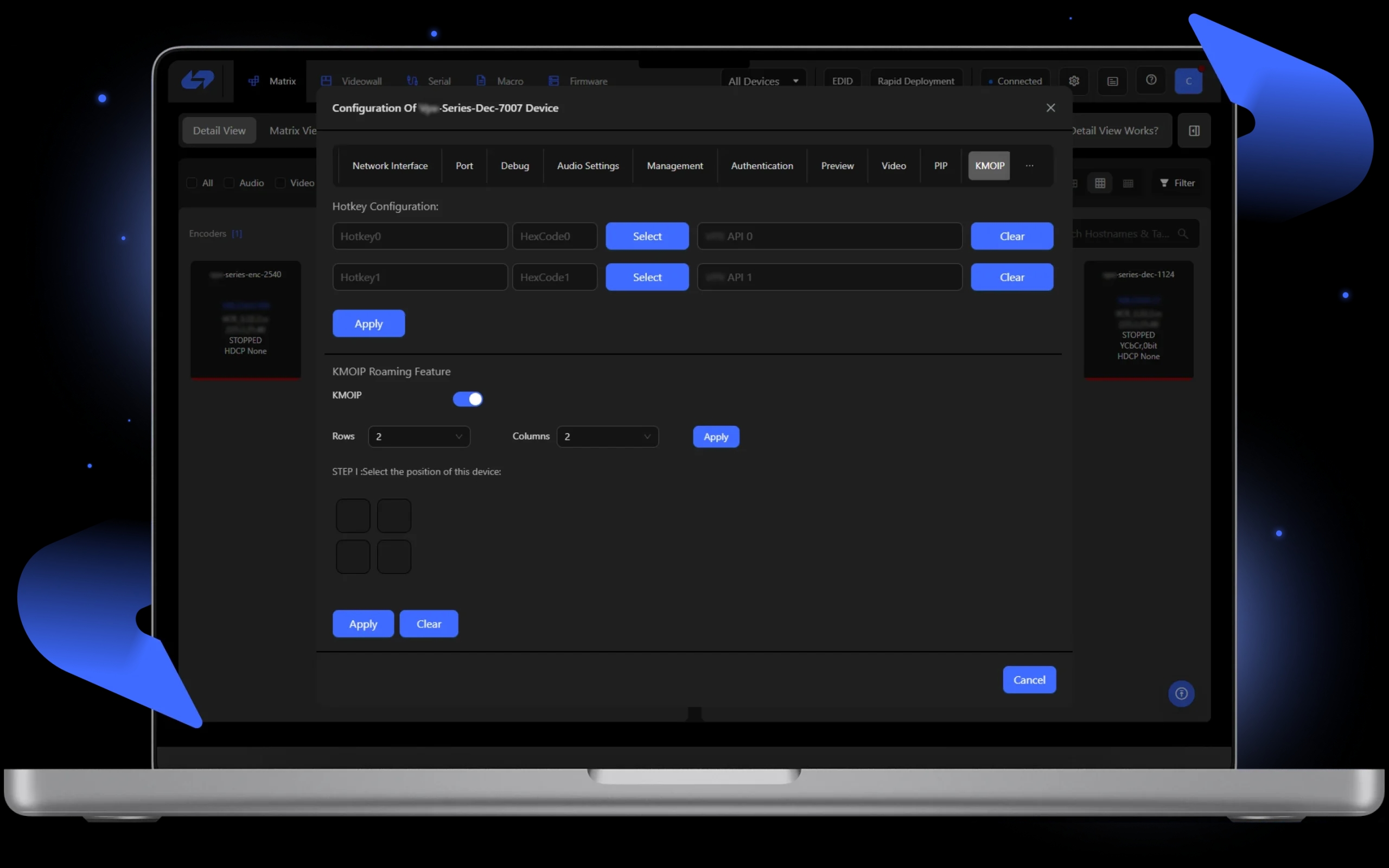
10. KMOIP
KMOIP lets users remotely control multiple devices, such as computers, servers, and AV equipment, over an IP network. It offers KVM (Keyboard, Video, Mouse) control through a single interface. This simplifies managing devices without physical access. KMOIP is ideal for large AV and IT systems. It supports high-resolution video, bi-directional audio, and full mouse and keyboard control. It also enables remote power cycling, device diagnostics, and firmware updates, keeping devices operational without on-site maintenance.
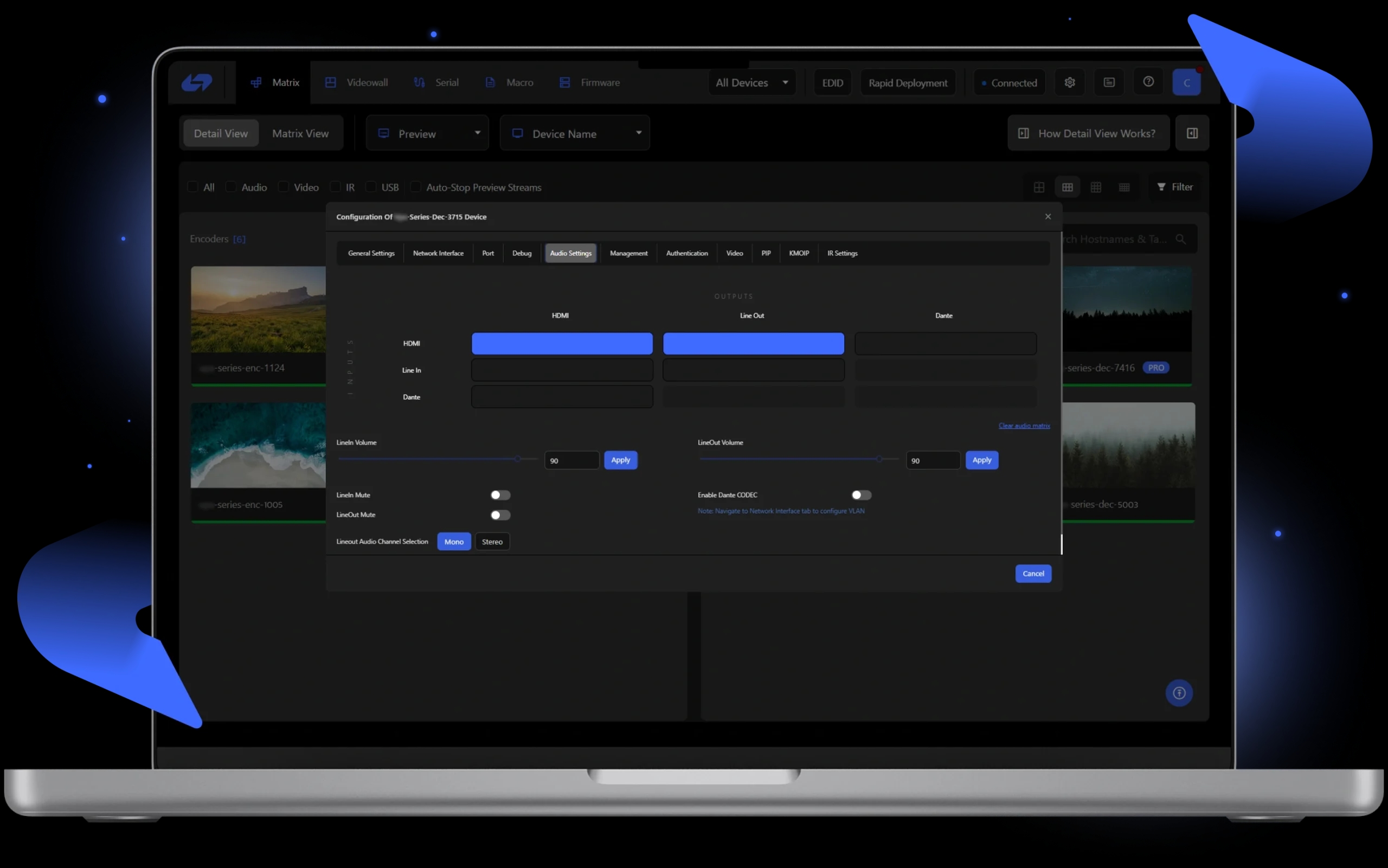
11. Audio Settings
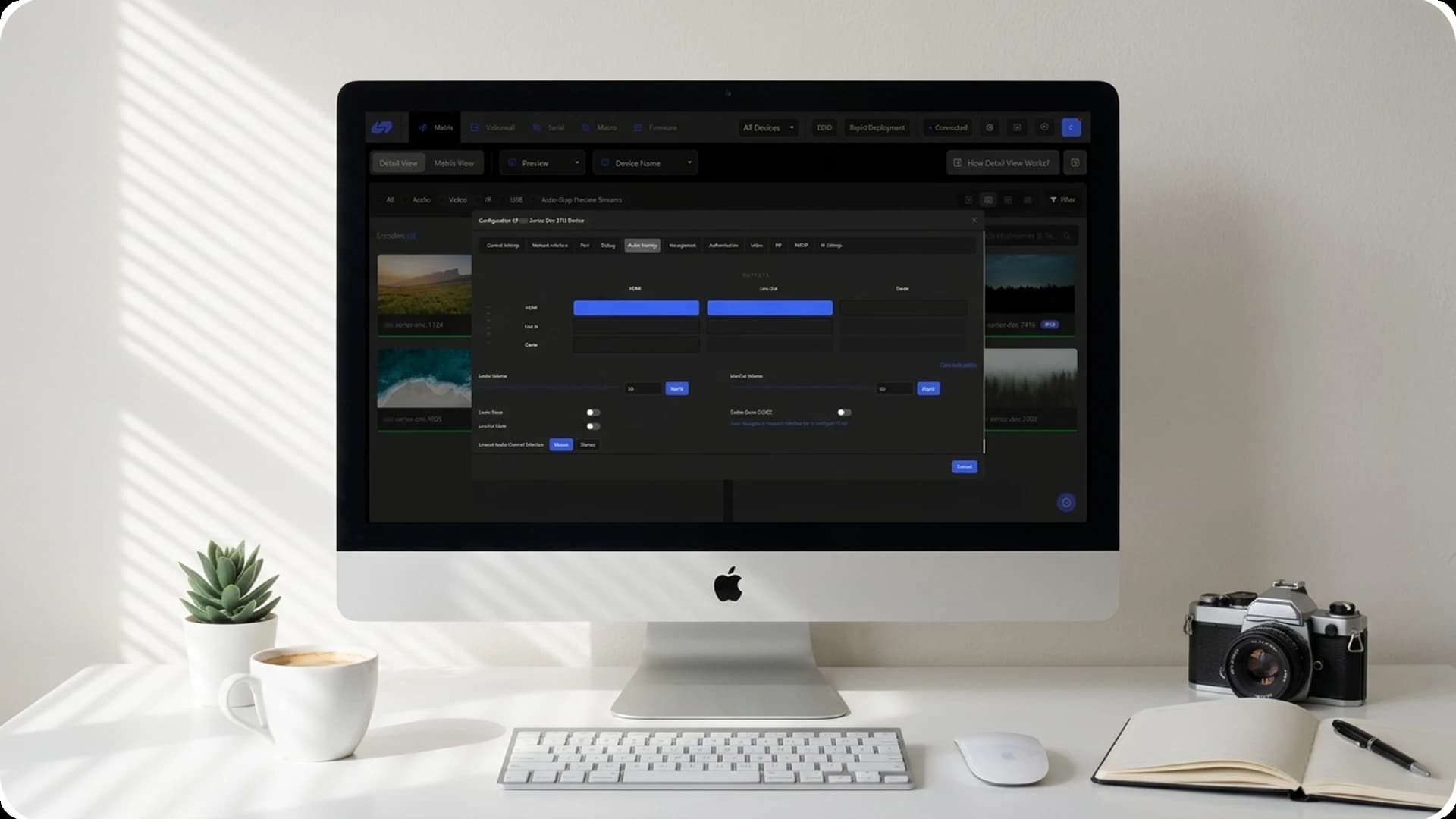
The Audio Settings panel gives users full control over device audio inputs and outputs. It includes adjustable volume sliders for both Line In and Line Out. The mute function can be activated easily using a toggle switch. The LineOut Audio Channel Selection lets users choose Mono or Stereo output. The Enable Dante CODEC toggle activates networked audio, ensuring optimal performance.
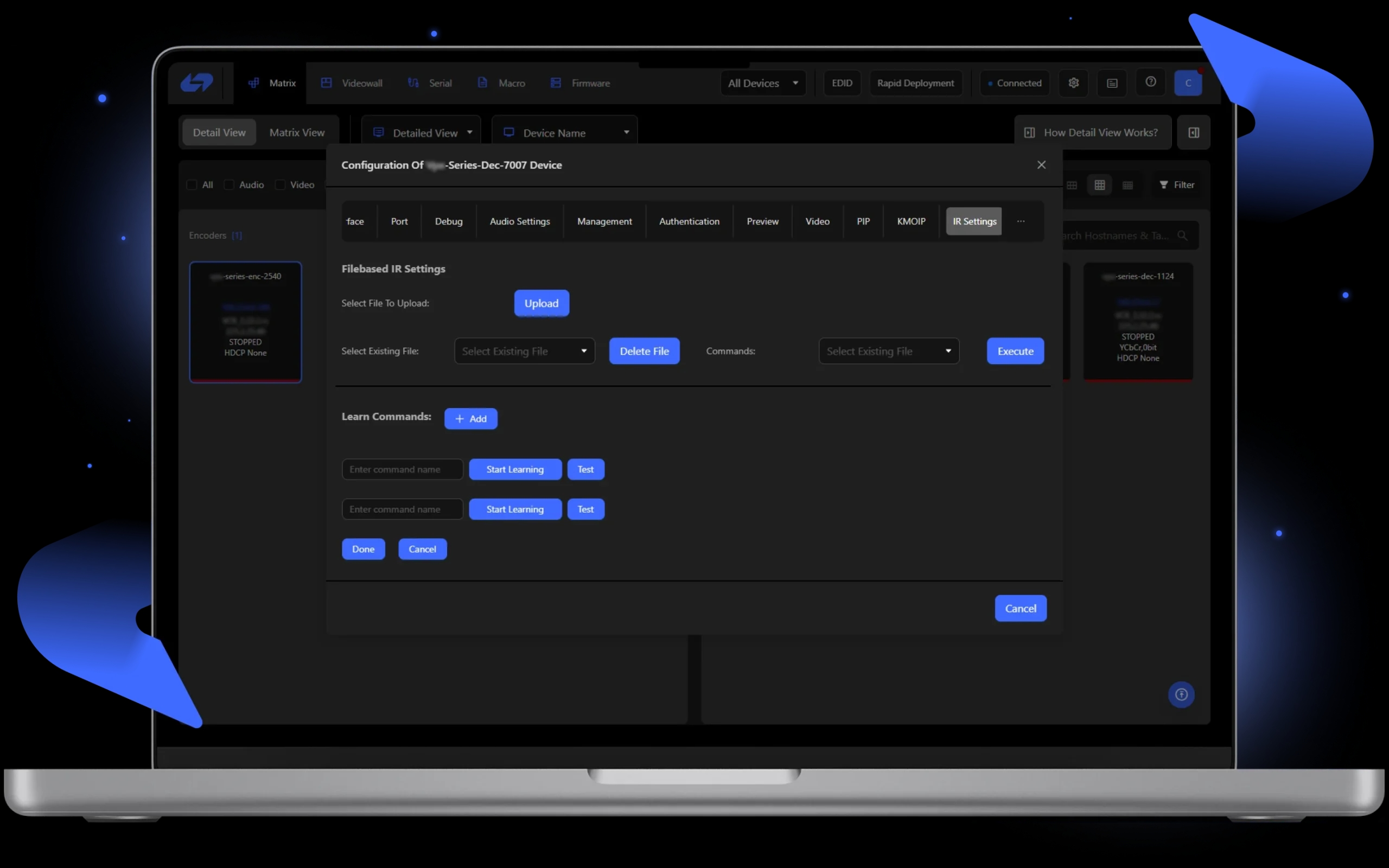
12. IR Commands
IR Settings let users program devices to recognize and execute commands from an IR remote. The system learns commands and maps them to actions within the AV setup. Once learned, users can assign commands to control functions like volume, input switching, or settings adjustment. This feature makes it easier to control devices using one remote.
Technology Stack
StreamBase is built with modern web and desktop technologies for real-time AV control and streaming.
Heading
Backend and Web Technologies
Conclusion
StreamBase delivers a complete AV distribution platform that replaces traditional matrix switchers with a scalable, IP-based solution. With features like VideoWall, PiP Mode, KMOIP, and real-time diagnostics, it gives AV professionals centralized control over complex installations while reducing setup time and maintenance overhead.