ChargerPro
An EV Charger Installer
services
Custom Software Development
industry
EV / Clean Energy
duration
5 Months
country
United States
Project Overview
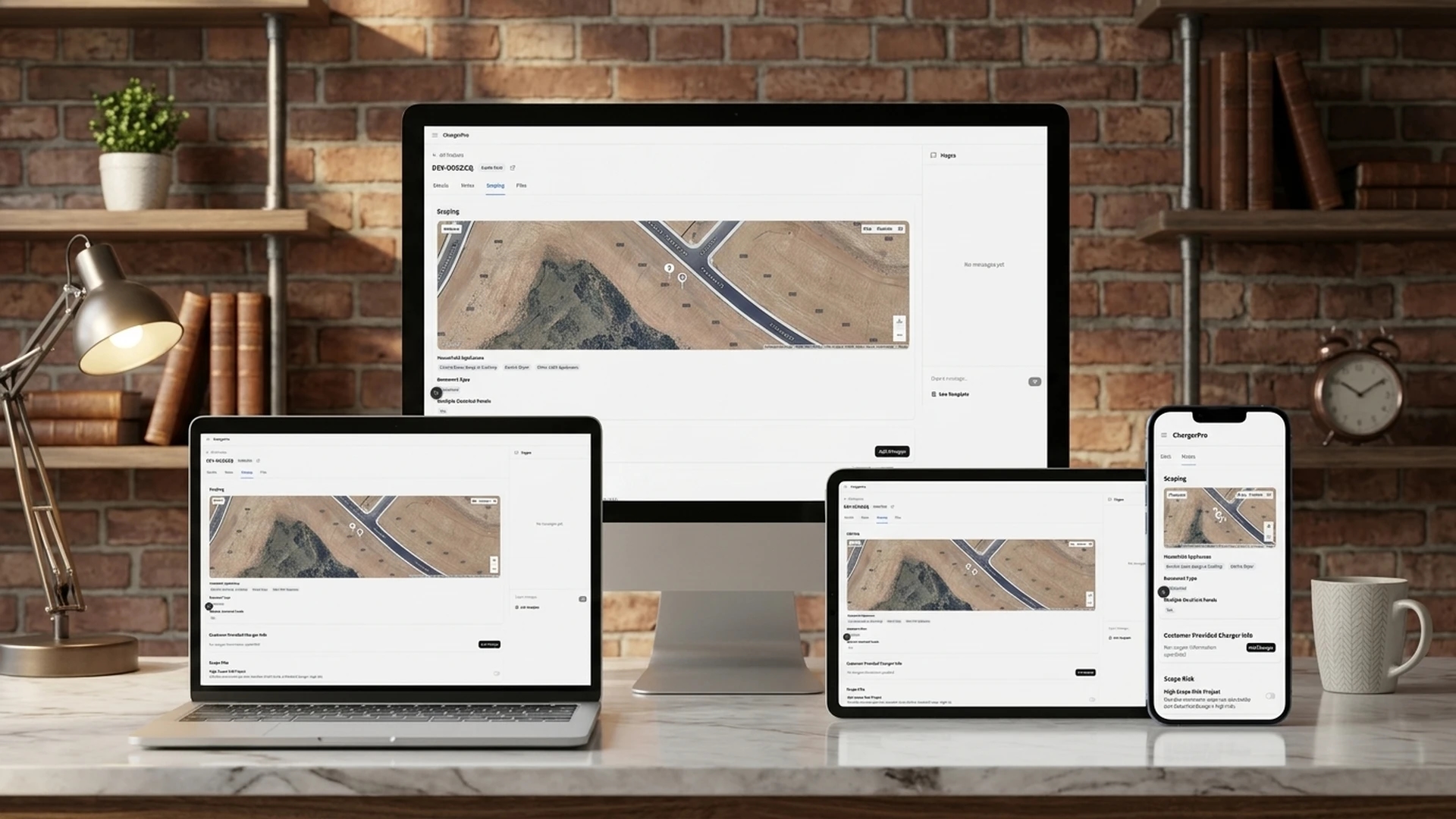
ChargerPro installs EV chargers across the USA. We helped them improve their business by making their complex installation work easier. Most installation companies use old-fashioned methods and many different systems. ChargerPro, however, uses digital tools. These tools help them turn website visitors into good leads. They also make their operations more efficient. ChargerPro's internal system replaces messy, manual ways of managing installations. It's a smart, all-in-one system. It combines tools for finding customers, managing projects, keeping track of inventory, and checking regional data. ChargerPro can do many things with this system. It can qualify leads, track inventory, manage complex projects, and even create electrical diagrams. All of this happens on one platform. ChargerPro changes how installation businesses usually work. Instead of just reacting to problems, they use data to plan ahead. Their website has a "30C credit checker." This tool tells customers if they can get federal tax breaks. The admin panel keeps track of project status, appointments, and inventory. It also looks at how different regions are performing. This gives real-time information and good advice. This way, installation teams, project managers, and business owners can make smart choices. They have better control over operations and resources in all US regions. This ensures they use resources and manage inventory in the best way.



Challenges
Complex Electrical Engineering
Inventory Visibility Gaps
Tax Credit Confusion and Lack of Analytics
Our Solution
Automated Engineering Tools
Unified Inventory Management
Tax Credit Verification and Analytics
Features
ChargerPro includes key features built to streamline EV charger installation operations, from lead capture and project management to inventory tracking and analytics.
1. 30C EV Charger Tax Credit Checker Tool
This tool quickly checks if you can get a tax credit for your home EV charger. You just enter your address. Then, you instantly see if you qualify. This is based on federal Census data. You don't need to do any hard research. The tool simply checks your location. It sees if it's in a low-income or non-city area.

2. Authentication
This system quickly gives users access with an easy login. Users can log in using Google or their email and password. They then get instant access to their personal dashboard. No hard checks are needed. The system automatically manages who is logged in, their roles, and what they can do. This is all done with Clerk integration.

3. Projects Management
This system manages all parts of an EV charger installation. It covers everything from the first request to the final check. Teams can handle projects with many steps. Tasks are sent automatically, and you can see project status in real time. Different team members get tasks based on their roles. This covers installing, getting permits, and inspections. No manual project planning is needed. The system automatically follows progress, manages due dates, and sends tasks to the right team members. It also has tools like an electrical load calculator and a single-line chart generator. These help electricians keep projects on track.

4. Electrical Load Calculator
This tool automatically figures out the exact electrical needs for EV charger installations. It uses details about the property and what equipment is already there. Engineers enter the home type, voltage, and appliance information. They instantly get load calculations, how much power is needed, and if the electrical service is enough. No manual math is needed. The system uses NEC code rules. It also creates professional documents for permits and inspections

5. Single Line Diagram Generator
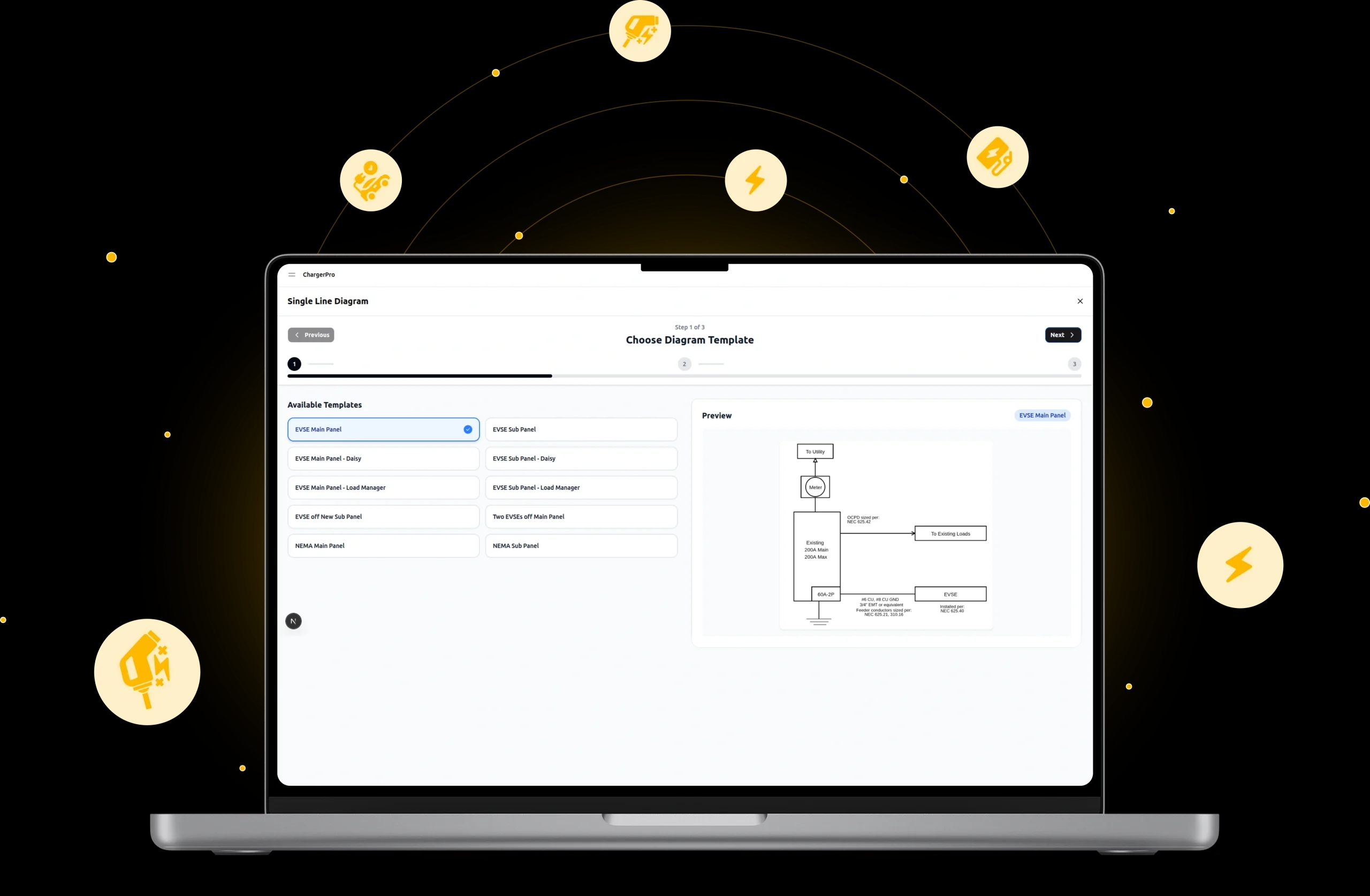
This tool makes good electrical diagrams for EV charger setups. It uses ready-made designs and project details. Engineers pick from EVSE/NEMA templates. They mark where to install on maps. They also add technical details. Then, the tool creates diagrams that follow the rules. No drawing by hand is needed. The system mixes project information with standard electrical symbols. This creates documents ready for permits.
6. Affiliate Management
This system makes it easy to manage partners. It tracks affiliates and manages their commissions. Owners can manage partner relationships. They can also check how partners are doing. It handles payments for different kinds of affiliates. This includes dealers or friends/family referrals. No manual work is needed. The system creates special codes, tracks when they are used, and figures out earnings by itself.

7. Leads Management
This helps track potential customers and turn them into sales. It works for many lead sources and steps. Teams can manage lists of leads.. It also keeps detailed contact profiles, including scheduling appointments and linking projects. No manual lead tracking is needed. The system connects with other tools. It keeps full records of all contacts. It also shows how well leads are turning into sales for both normal and EV-ready customers.

8. Dealer Management
The internal team can manage the dealer network through dealer profiles. These include contact details, how they prefer to book, and their brand look. Then, they keep up dealer relationships using one main database. The system handles signing up new dealers, managing contacts, and setting up how partners book appointments.

9. Inventory Management
This part of the system helps control stock in many warehouses. It tracks items automatically, and you can see everything in real time. ChargerPro can manage all its products. Each item can have its own price and low stock limits.The system constantly watches stock levels. It sends automatic alerts with color-coded warnings if stock gets too low. It can manage multiple locations. You can also move items between these places. It tracks all transactions. The system can also analyze data. It suggests when to reorder using data.

10. Reports and Analytics
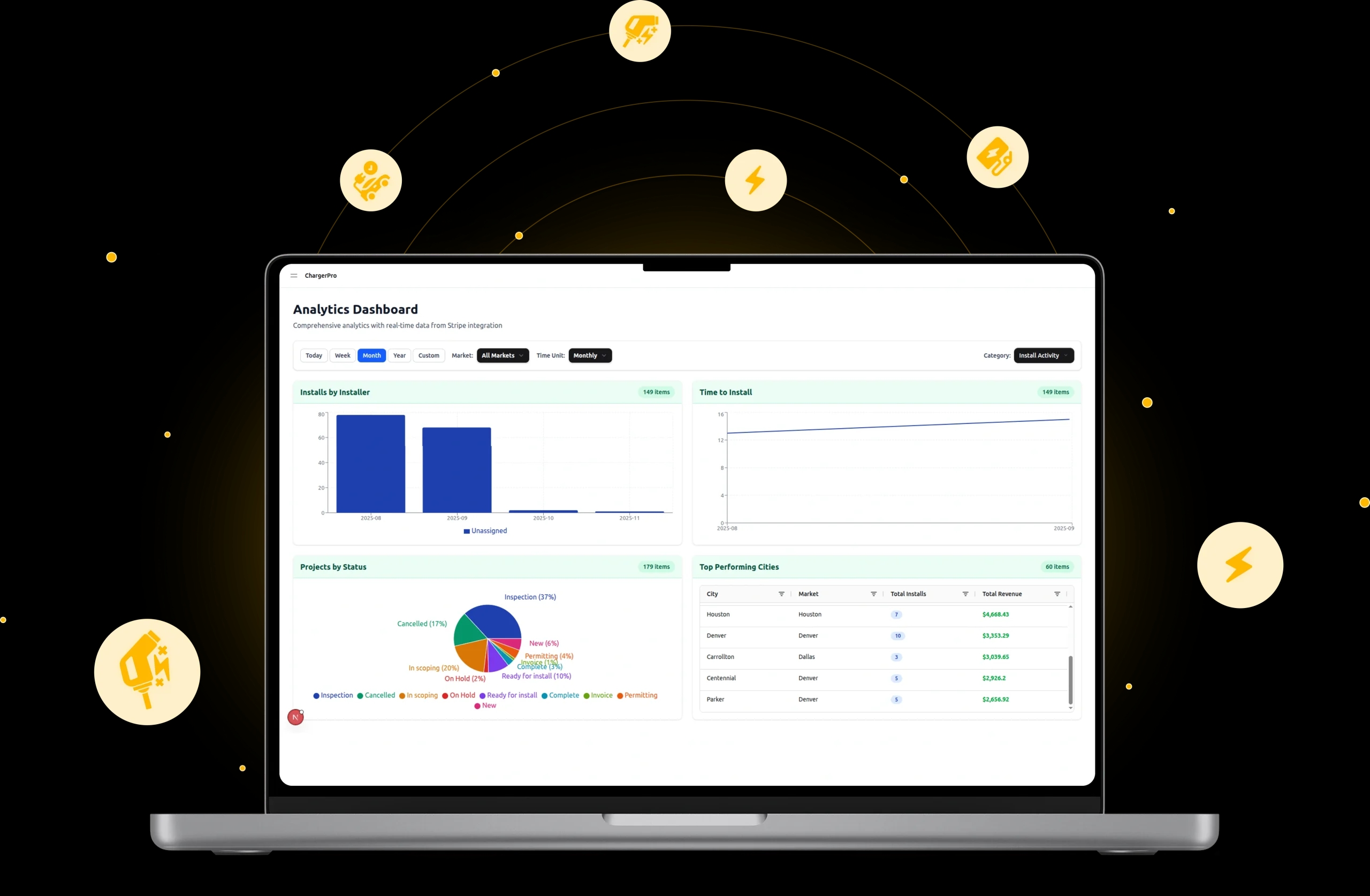
This system offers real-time dashboards with time frames and market filters, helping to check sales, installations, project status, and operations. It tracks key metrics like new versus finished projects, sales trends, bookings by market, project status, cancellations, installer productivity, installation times, and city performance. Advanced analysis covers inventory value, revenue by area, charger trends, permit costs, average deal sizes, and charger cross-selling. The system links with Stripe for live financial data and allows data export. Graphs and maps help spot trends, problems, and growth opportunities. This analysis turns raw data into useful business information, aiding decisions for sales, resource allocation, market growth, and operations, leading to steady business growth.
Technologies Used
ChargerPro is built with a modern technology stack combining Next.js, Tailwind, MongoDB, and third-party integrations for payments, authentication, scheduling, and file management.
Frontend
NextJs, Tailwind, Shadcn
Third-Party Packages
Stripe, Clerk, Timekit, Textmagic, Uploadcare
Backend
MongoDB
Conclusion
ChargerPro transforms the EV charger installation industry by replacing manual processes with a unified digital platform. From automated electrical load calculations and diagram generation to real-time inventory tracking and comprehensive analytics, the system helps installation teams work faster, reduce errors, and grow their business across regions.